If you only do one piece of preparation for Morocco, do this one: spend ten minutes on your phone before you fly. Not because Morocco is difficult — it is one of the warmest, most navigable countries you will ever land in — but because the version of you standing in an arrivals hall at 11pm, tired and roaming-blocked, is not the version of you who should be looking up a phone number for the first time.
This is the Morocco travel checklist we actually use: what to download at home, which numbers to save, how to get data working before you leave the terminal, and how to make sure someone back home knows the shape of your first day. Most of it takes ten minutes over your home Wi-Fi. All of it still works when your signal doesn’t.
Ten minutes at home beats an hour at the airport
Everything on this list is easier at home, on fast Wi-Fi, with a charged phone and no queue behind you. That is the whole idea behind Stay Safe Morocco: it is built to be set up in advance and useful the moment you land, before you have a local SIM, before you have found the Wi-Fi password, before you have worked out which taxi rank is which.
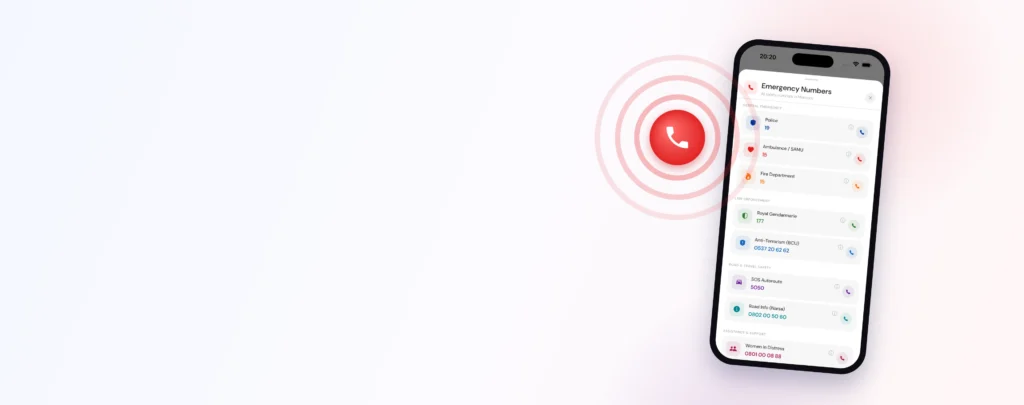
The app is offline-first on purpose. Once it has been opened on a connection, Morocco’s emergency numbers, your embassy’s contact details and your saved trip information stay readable with the phone in airplane mode. That matters more than people expect — not in a crisis, particularly, but on an ordinary afternoon in a valley with one bar of signal, which is where most travellers actually meet the limits of their phone. Our guide to what still works on your phone without signal goes deeper on that.
The checklist: six things to do before you fly
Work through these in order. None of them needs a Moroccan number, and none of them costs anything except the eSIM.
Download Stay Safe Morocco and open it once on Wi-Fi so the offline content is cached to your device. An app downloaded but never opened has nothing stored yet.
My Embassy shows your own country’s mission in Morocco — address, phone, and where it sits relative to you. Set it before you fly and it is there offline, in the one situation where you will not feel like searching.
Two or three people who would want to hear from you: a partner, a parent, the friend who always asks if you landed. Add them while you have their numbers to hand.
Install it at home; activate it when you land. Installation needs a connection — which is exactly what you will not have at the airport.
One number, no SIM required, no credit required. Everything else is a bonus.
Where you land, where you sleep, roughly when you expect to arrive. Ten minutes now, and your first day has a shape someone else can see.

The numbers that work without a SIM
Morocco’s emergency lines are straightforward once you know them, and the most important one works on any phone — no local SIM, no credit, no data. If your handset has a signal from any network, 112 connects. It is the number to dial first and the one to teach anyone travelling with you, including children old enough to hold a phone.
The others are worth knowing because they route you faster in the right context: 19 reaches police in cities and towns, 177 reaches the Gendarmerie Royale, who cover rural roads and the spaces between towns, and 15 reaches ambulance and civil protection. Stay Safe keeps all of them one tap away and readable offline, so you are never scrolling a webpage to find them. We break down who answers what in our full guide to emergency numbers in Morocco.
Here is the part worth being precise about, because it shapes how you use the app. Stay Safe’s SOS is a shortcut, not a service. One tap logs your location and puts the local emergency number on screen ready to dial — it does not summon a private response team, and there is no operator listening on the other side. What it removes is the fumbling: finding the number, working out which one, explaining where you are. Your GPS coordinates are right there to read aloud. That is a genuinely useful thirty seconds, and we would rather describe it accurately than dress it up.
Your Trusted Circle: who knows where you are
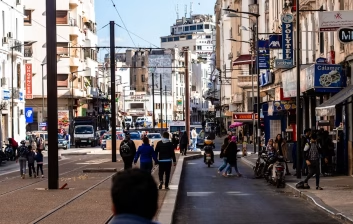
Most travel anxiety is not really about you. It is about the people at home refreshing their messages. Your Trusted Circle is the small group you choose to loop in, and Live Location lets you share where you are with them when you want to — heading into the Atlas for the day, taking a long taxi to the coast, walking back to your riad after dinner. You start it, you stop it. Nothing is shared in the background, and nobody is watching a map of you the rest of the time.
The Trip Planner adds the other half: you note where you are going and when you expect to arrive, and when you check in on arrival, your circle is notified. It is the digital version of “text me when you get there” — except you only have to press one thing, and it works whether or not you have the energy to compose a message. Solo travellers tend to find this the single most calming feature; it is a recurring theme in our guide to solo female travel in Morocco.
Data: sort connectivity before you leave the terminal
Roaming charges are the most common reason a well-prepared traveller lands with a phone they are afraid to use — and a phone you are afraid to use is not a safety tool. An eSIM solves it cleanly: a digital SIM you install at home and switch on when you land, with no shop visit, no passport registration queue and no swapping your home SIM into a pocket where it will get lost.
Our Morocco packs come in three sizes — 10 GB, 15 GB and 20 GB, from $9. The 10 GB pack includes around an hour of calls; 15 GB and 20 GB include around two. For a week of maps, messaging, ride-hailing and a reasonable amount of uploading photos of tagine, 10 GB is comfortable for most people; two weeks or a data-heavy trip is happier on 15 GB or 20 GB. If you would like to compare options properly before you buy, our Morocco eSIM buying guide lays out the trade-offs, including where a physical SIM still makes sense.
- Install at home, activate on landing. Installation needs an internet connection; activation does not.
- Keep your home number reachable. An eSIM runs alongside your normal SIM, so your bank’s verification codes still arrive.
- Check your phone is unlocked and eSIM-capable. Most handsets from 2019 onward are; a two-minute check now saves a bad twenty minutes later.
- Download offline maps too. Data and navigation are separate problems, and medinas are where offline maps earn their keep.
The first hour on the ground
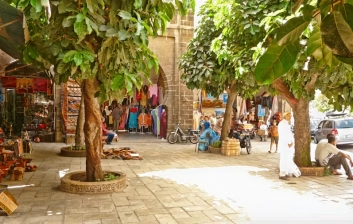
You clear passport control, and the checklist pays out. Turn off airplane mode and activate your eSIM before you reach the exit doors — do it inside, where you can stand still. Open Stay Safe once so your location refreshes. Check in on your Trip Planner arrival so your circle knows you are down. Then agree your taxi fare before you get in, which is the single most useful habit in Moroccan travel and the subject of its own guide for getting from Marrakech airport to the medina.
None of this is defensive. It is the opposite — it is what lets you say yes to the detour, the late dinner, the last-minute night in Chefchaouen, because the boring logistics were handled on your sofa a week ago. Confidence is not the absence of planning. It is planning that is already finished.
What Stay Safe Morocco is not
We would rather you knew the edges of this before you rely on it, so here they are plainly:
- It is not travel insurance. There is no medical cover, evacuation cover or reimbursement of any kind built into the app. Buy insurance separately — you want it, and it is a different product.
- SOS does not automatically alert your contacts. It logs your location and dials Morocco’s emergency numbers. The only feature that notifies your Trusted Circle on its own is a Trip Planner arrival check-in.
- There is no monitored response centre. No operator is standing by. Help comes from Morocco’s own emergency services — the app just gets you to them faster.
- The app is in English and French. Those are the two interface languages today.
- It does not book anything. No hotels, no restaurants, no transport. Book where you normally book.
What it does do is narrow: give a visitor arriving in Morocco the local knowledge, the right numbers and the right people, offline, from the moment the wheels touch down. If you want the feature-by-feature version, we wrote exactly what the app does — and for the wider picture on travelling here, start with our national guide, is Morocco safe for tourists.
The bottom line
Morocco rewards travellers who arrive ready to say yes — to the rooftop with no sign outside, to the bus to the coast, to the third glass of mint tea with someone you met an hour ago. Ten minutes of setup before you fly is what buys you that. Install the app and open it at home, set your nationality, add two or three people to your Trusted Circle, install your eSIM, learn 112, and sketch your first day. Then close your laptop and get excited, because the logistics are done and everything from here is the trip itself.
Frequently asked questions
Does Stay Safe Morocco work without a SIM card or data? Yes, for the things that matter most. Once you have opened the app on a connection, Morocco’s emergency numbers, your embassy details and your saved trip information stay available offline. Features that genuinely need a connection — sharing Live Location with your Trusted Circle, for example — do require data or Wi-Fi.
Does SOS automatically alert my family? No. SOS logs your location and puts Morocco’s local emergency numbers one tap from dialling, so you are not searching for a number under pressure. The only feature that notifies your Trusted Circle by itself is a Trip Planner arrival check-in. Live Location is shared when you choose to share it.
What number should I call in an emergency in Morocco? Dial 112. It is the universal emergency number, it works on any phone with a signal — no local SIM and no credit needed — and the operator will route you. For specific services: 19 for police in cities, 177 for the Gendarmerie Royale in rural areas, and 15 for ambulance and civil protection.
Do I still need an eSIM if I have the app? The app’s offline features work without one, but a phone with data is a far more capable travel companion — maps, ride-hailing, messaging home, sharing your location. Our Morocco packs are 10 GB, 15 GB and 20 GB, from $9, with around an hour of calls on the 10 GB pack and around two hours on the larger ones.
When should I set all this up? Before you fly, over home Wi-Fi. Installing an eSIM and caching the app’s offline content both need a connection, which is precisely what you will not have in the arrivals hall. Ten minutes the week before you travel covers everything on this checklist.
🛡 Land in Morocco already connected — and safe
Every StaySafe Morocco eSIM comes with free Family SOS: one tap to reach emergency help and share your live location with your family. No data cap, keep your number, from $20.79.
Get your eSIM + Family SOS →Before you go — related guides
- Is Morocco safe for tourists?
- Emergency numbers in Morocco
- Common scams in Morocco & how to avoid them
- How to get internet & mobile data in Morocco
- How to get a SIM / eSIM in Morocco
- Best eSIM for Morocco: plans & prices
- Buy a Morocco eSIM — no data cap, your dates
- Morocco eSIM setup: device check & activation
- What is an eSIM and how does it work?
Explore Morocco — city guides
- Agadir
- Best Places to Visit in Morocco: A First-Timer’s Shortlist
- Best Things to Do in Marrakech: The Essential Guide
- Casablanca
- Chefchaouen
- El Jadida
- Essaouira Culture Guide: Gnaoua Music, Art & Local Life
- Essaouira
- Fes
- Marrakech in Summer: Pools, Heat & How to Stay Cool
- Marrakech
- Meknes
- Nador
- Ouarzazate
- Oujda
- Places to Visit in Marrakech: A First-Timer’s Day-by-Day Map
- Rabat
- Safi
- Tangier
- Tétouan