Landing in Morocco without a working phone is one of the easiest ways to make your trip harder than it needs to be. Maps, ride-hailing, translation, booking confirmations, and — when it matters most — calling for help all depend on being online. The good news: getting connected is simple once you know your options. This guide walks through every way to get internet in Morocco, with honest pros and cons of each, how much data a typical trip actually needs, and a clear recommendation for most travellers.
The short answer
For most visitors, the easiest way to get online in Morocco is an eSIM you set up before you fly — you land already connected, with no shop queue and no SIM swap. A local physical SIM is a solid budget option if your phone takes one and you don’t mind a quick errand on arrival. Roaming from your home carrier is the most convenient but usually the most expensive, and public Wi-Fi is fine for light browsing but too patchy and insecure to rely on. We’ll compare all four below.
Your four ways to get online in Morocco
1. eSIM (best for most tourists)
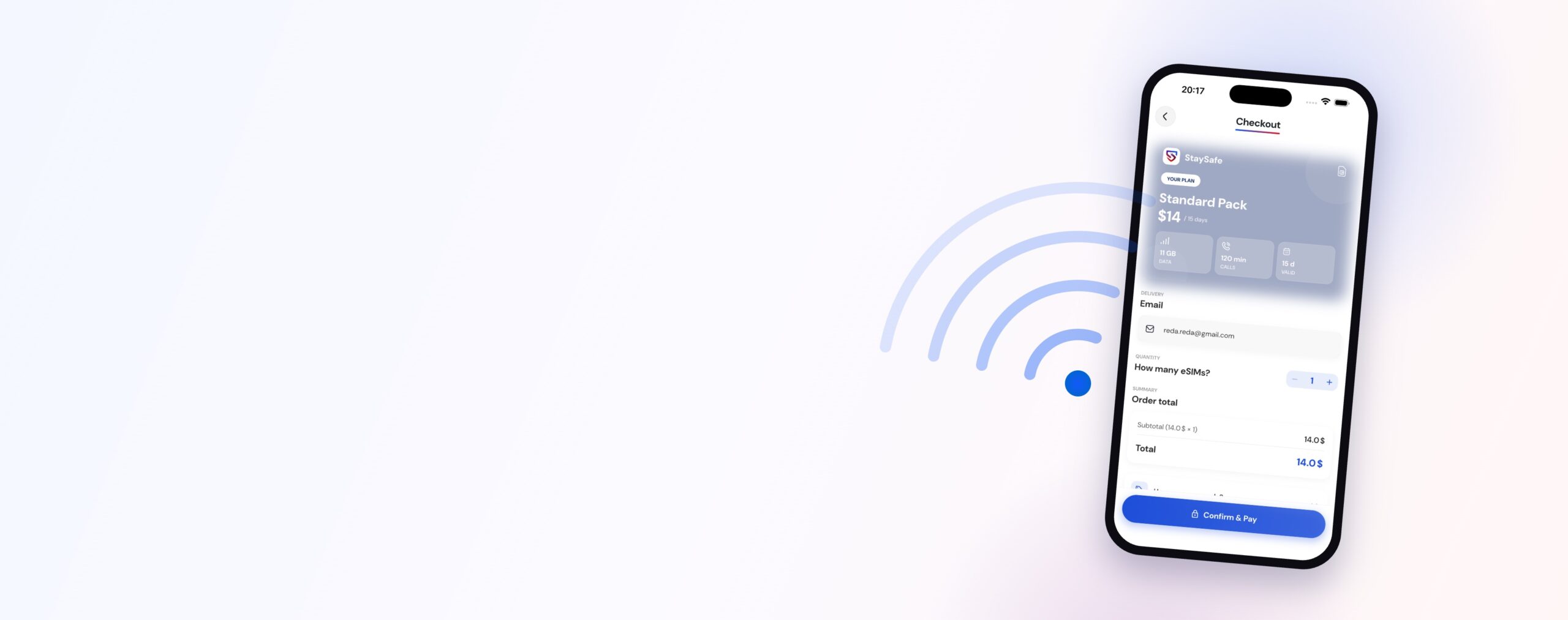
An eSIM is a digital SIM that downloads to your phone — no plastic card, no swapping anything. You buy it online, scan a QR code, and you’re set. The big advantage for travel is timing: you can set it up at home before you fly and step off the plane already connected to a local Moroccan network. Our Morocco eSIM is emailed to you instantly as a QR code, works on local network coverage, and is paired with a free safety app that puts Moroccan emergency numbers one tap away.
Pros: Set up before you land · keeps your home SIM in for calls and texts · no passport errand or SIM swap · pay with Apple Pay or Google Pay. Cons: Your phone must be eSIM-compatible (most phones from the last few years are — see the “will my phone work?” note below).
2. Local physical SIM card
Morocco has three main carriers — Maroc Telecom, Orange Maroc, and inwi — and you’ll find their kiosks at airports and in shops across every city. Buy a prepaid SIM, top it up with a data bundle, and you’re on a local network.
Pros: Local rates · easy to top up at shops everywhere. Cons: You’ll need your passport to register the SIM, you have to physically swap out (and not lose) your home SIM, and it means a queue or errand on arrival when you’d rather be exploring. We break this down further in our Morocco eSIM vs physical SIM comparison.
3. International roaming from your home carrier
The most convenient option is to simply use your existing plan abroad. No setup, same number — but roaming charges in Morocco can be steep, and “unlimited” home plans often throttle or exclude international use.
Pros: Zero setup · keep your own number. Cons: Usually the most expensive way to get data · easy to run up a surprise bill. Always check your carrier’s Morocco roaming rates before you rely on it — and consider an eSIM as a cheaper backup.
4. Public, hotel & café Wi-Fi
Wi-Fi is common across Moroccan hotels, riads, cafés, and restaurants, and it’s great for downloading maps or making video calls when you’re sitting still.
Pros: Free · widely available in tourist areas. Cons: Speeds and reliability vary a lot, it disappears the moment you step outside, and public Wi-Fi isn’t safe for sensitive logins like banking. Treat it as a bonus, never your only plan.
Internet in Morocco compared
Set up before you fly, online. Cost: low, from $9. Works the moment you land with no queue or SIM swap. Phone must support eSIM — most recent models do.
Buy at the airport or a shop on arrival. Cost: low to moderate. Requires your passport and a SIM swap; one extra errand on arrival day.
Zero setup — just use your existing plan abroad. Cost: often high. Check your carrier’s Morocco rates first; surprise bills are common.
Free and widely available in hotels and cafés. Patchy outside buildings, and unsafe for sensitive logins. Treat it as a supplement, never your only connection.
How much data does a typical trip need?
Most travellers use less than they fear. Maps, messaging, ride-hailing, and the odd social post are light on data; the heavy hitters are video streaming and large downloads. As a rough guide:
- Light user (maps, chat, email): ~1 GB per week
- Average tourist (the above + photos, social, some browsing): ~3–5 GB per week
- Heavy user (video calls, streaming, hotspotting a laptop): 8 GB+ per week
Our Morocco eSIM comes in 10 GB, 15 GB, and 20 GB plans — comfortably covering anything from a long weekend to a multi-week tour. Each plan also includes calling minutes (1 hour on the 10 GB plan; 2 hours on the 15 GB and 20 GB plans, usable for both national and international calls), so you can ring a riad or a tour guide without burning data on a calling app. A tip: download offline maps of your destinations over Wi-Fi before you set out, and your day-to-day data will stretch much further.

Will my phone work in Morocco?
Almost certainly. Morocco’s networks run on standard GSM/LTE bands, so modern unlocked phones from major brands work fine. Two quick checks:
- For a physical SIM: your phone must be carrier-unlocked. If it’s locked to your home network, ask them to unlock it before you travel, or choose an eSIM instead.
- For an eSIM: your phone must be eSIM-compatible. Recent iPhones (XR/XS and newer), Google Pixels, and flagship Samsung Galaxy models all support eSIM. If you’re not sure, our guide to what an eSIM is and how to get one explains how to check in under a minute.

Why staying connected matters for safety
Getting online in Morocco isn’t only about convenience — it’s a real safety layer. A connected phone means live maps so you don’t get lost in a medina, the ability to verify taxis and rides and agree fares, translation to clear up misunderstandings, and — most importantly — the ability to call for help instantly. Morocco’s universal emergency number, 112, works from any mobile, but being connected also lets you share your location, find the nearest hospital, and stay in touch with people back home. (For the full picture, see Is Morocco safe for tourists?.)
That’s exactly why our eSIM comes paired with a free safety app: one-tap access to the correct Moroccan emergency numbers, plus danger-zone alerts that warn you even when the app is closed. Connectivity and safety, sorted in one step before you fly.
The bottom line
You have four ways to get internet in Morocco — eSIM, local SIM, roaming, and Wi-Fi — and the right mix depends on your phone and your trip. But for most travellers, an eSIM is the simplest, most cost-effective choice: you set it up at home, land already connected on a local network, keep your home number, and skip the airport queue entirely. Pair it with offline maps and a little awareness, and you’re free to explore Morocco confidently from the moment you arrive.
Ready to land connected? Get your Morocco eSIM — plans from $9, QR emailed instantly, set up before you fly.
Frequently asked questions
How do I get internet in Morocco as a tourist? The easiest way is an eSIM you set up before you fly — you land already connected to a local Moroccan network with no SIM swap. You can also buy a local physical SIM (Maroc Telecom, Orange Maroc, or inwi) at the airport with your passport, use international roaming from your home carrier, or rely on hotel and café Wi-Fi for light browsing.
Is an eSIM or a physical SIM better in Morocco? For most travellers an eSIM is better: it’s set up before you arrive, needs no passport errand or SIM swap, and keeps your home SIM in place. A physical SIM can suit longer or budget stays if your phone is unlocked and you don’t mind buying one on arrival. See our full eSIM vs SIM comparison for details.
Does my phone work in Morocco? Most modern unlocked phones work fine on Morocco’s GSM/LTE networks. For a physical SIM your phone must be carrier-unlocked; for an eSIM it must be eSIM-compatible (recent iPhones, Pixels, and Samsung Galaxy flagships all are). Check with your carrier or device settings before you travel.
How much mobile data do I need for a trip to Morocco? Most tourists use about 3–5 GB per week for maps, messaging, social media, and browsing. Light users may need only ~1 GB a week, while heavy users who stream or hotspot can use 8 GB or more. The StaySafe Morocco eSIM comes in 10 GB, 15 GB, and 20 GB plans to cover short and long trips.
Is public Wi-Fi safe to use in Morocco? Public, hotel, and café Wi-Fi is fine for light browsing and downloading maps, but it’s inconsistent and not safe for sensitive logins like online banking. For reliable, private connectivity throughout your trip, an eSIM or local SIM is the better choice.
Ready to get connected in Morocco?
Buy a Morocco eSIM from $10 — QR delivery within 48 hours, nationwide coverage, and free Family SOS via the StaySafe app.
View Morocco eSIM plans →Explore Morocco — city guides
- Agadir
- Best Things to Do in Marrakech: The Essential Guide
- Casablanca
- Chefchaouen
- El Jadida
- Essaouira Culture Guide: Gnaoua Music, Art & Local Life
- Essaouira
- Fes
- Marrakech in Summer: Pools, Heat & How to Stay Cool
- Marrakech
- Meknes
- Nador
- Ouarzazate
- Oujda
- Rabat
- Safi
- Tangier
- Tétouan